Color Models & Bit Depth
A color model defines how colors are represented as numbers, which affects how edits behave, what files you can save to, and how faithfully colors are reproduced at output. Bit depth controls how many distinct values each channel can hold, and therefore how much tonal range and precision a document carries.
Color Models
Paintapp supports images in the following color models.
Paintapp also supports color picking in additional models (for example HSL, OKLab, and OKLCh) in the Color Panel.
RGB
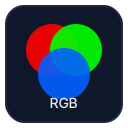
Red, Green, and Blue form an additive model: colors are formed by combining light at three primary wavelengths. It is the native model for screens, cameras, and web graphics. In Paintapp, most painting, compositing, and filter work happens in RGB.
RGB values are device-dependent without a color profile — the same numbers look different on different displays. Attaching an ICC profile (such as sRGB or Display P3) gives the numbers a precise, profile-encoded meaning. See Color Management for how Paintapp handles profiles.
- Channels: R, G, B
- Use when: screen output, web, photography, compositing
CMYK
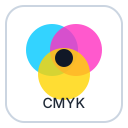
Cyan, Magenta, Yellow, and Key/Black form a subtractive model used for print. Ink on paper absorbs light rather than emitting it, so colors are built by subtracting from white. The K (black) channel improves shadow density and reduces ink cost.
CMYK documents opened in Paintapp (for example from a PSD or TIFF) are color-managed through an ICC printer profile for display. Editing in CMYK preserves the ink values exactly as they will be sent to the press.
- Channels: C, M, Y, K
- Use when: preparing artwork for offset or digital print
L*a*b* (Lab)
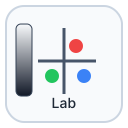
Lab is a device-independent, perceptually uniform model defined by the CIE. The L* channel encodes luminosity (0 = black, 100 = white); the a* channel runs from green to red; the b* channel runs from blue to yellow. Because Lab is decoupled from any device, identical Lab numbers describe the same perceptual color regardless of output medium.
Lab is commonly used as an intermediate space for color-space conversions, for perceptually uniform adjustments (such as lightness-only edits that do not shift hue), and for blending or measuring color differences accurately.
- Channels: L*, a*, b*
- Use when: color-accurate conversions, perceptual adjustments, scientific workflows
Grayscale
Grayscale documents contain a single luminance channel. They are smaller than RGB files, and are the natural format for monochrome photography, masks, height maps, and any single-valued image data. Grayscale documents in Paintapp are color-managed through a Gray ICC profile so that the tonal curve is preserved correctly on display and at output.
- Channels: K (gray/black)
- Use when: black-and-white photography, masks, single-channel data
Bit Depth
Bit depth determines how many discrete levels each channel can represent. Higher bit depth preserves more tonal information and reduces the risk of banding or clipping during edits.
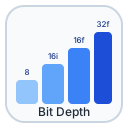
8 bits per channel
256 levels per channel (0–255). This is the standard for JPEG, PNG-8, and most web content. Sufficient for final delivery to screen, but heavy editing — especially curves, levels, or exposure adjustments — can introduce visible banding because there are few enough levels that rounding accumulates.
16 bits per channel (integer)
65 536 levels per channel. The preferred depth for photo editing and print workflows. Aggressive tone and color adjustments stay clean because there is far more headroom before rounding artefacts appear. Files are twice the size of their 8-bit equivalents. PSD, TIFF, and PNG all support 16-bit integer.
16-bit integer rendering requires the WebGL EXT_texture_norm16 extension.
If the extension is not available, Paintapp converts the layer data to 32-bit float
internally to preserve editing behavior.
16 bits per channel (floating point)
Half-float (16-bit float) gives much more range than 8-bit integer with less memory than 32-bit float. It is a good balance for high-quality compositing, HDR-adjacent grading, and workflows that need smooth tonal operations without the full cost of 32-bit float.
32 bits per channel (floating point)
Each channel is stored as a 32-bit IEEE 754 float, giving effectively unlimited dynamic range. Values can exceed the 0–1 range, making 32-bit the correct choice for HDR imagery, scene-linear compositing, and any pipeline that needs to preserve out-of-gamut or over-exposed data for later tone-mapping. Paintapp's GPU compositing pipeline operates internally at 16-bit float (half) precision; 32-bit source values are read and written at full precision on import and export.
HDR LogLuv TIFFs (device-independent CIE XYZ data) import this way too — as a 32-bit-float RGB document with a device-independent profile attached, same as Photoshop. See Color Management for details.
Converting Between Models and Depths
Use Image → Mode to change a document's color model or bit depth. Converting from a higher bit depth to a lower one is destructive — precision is permanently discarded. Converting between color models (for example RGB to CMYK) uses the ICC profiles assigned to the document to ensure a color-accurate result.