Node-Based vs Layer-Based Editing
Paintapp supports both layer-based editing and node-based editing. They solve similar creative problems, but with different workflows and different strengths.
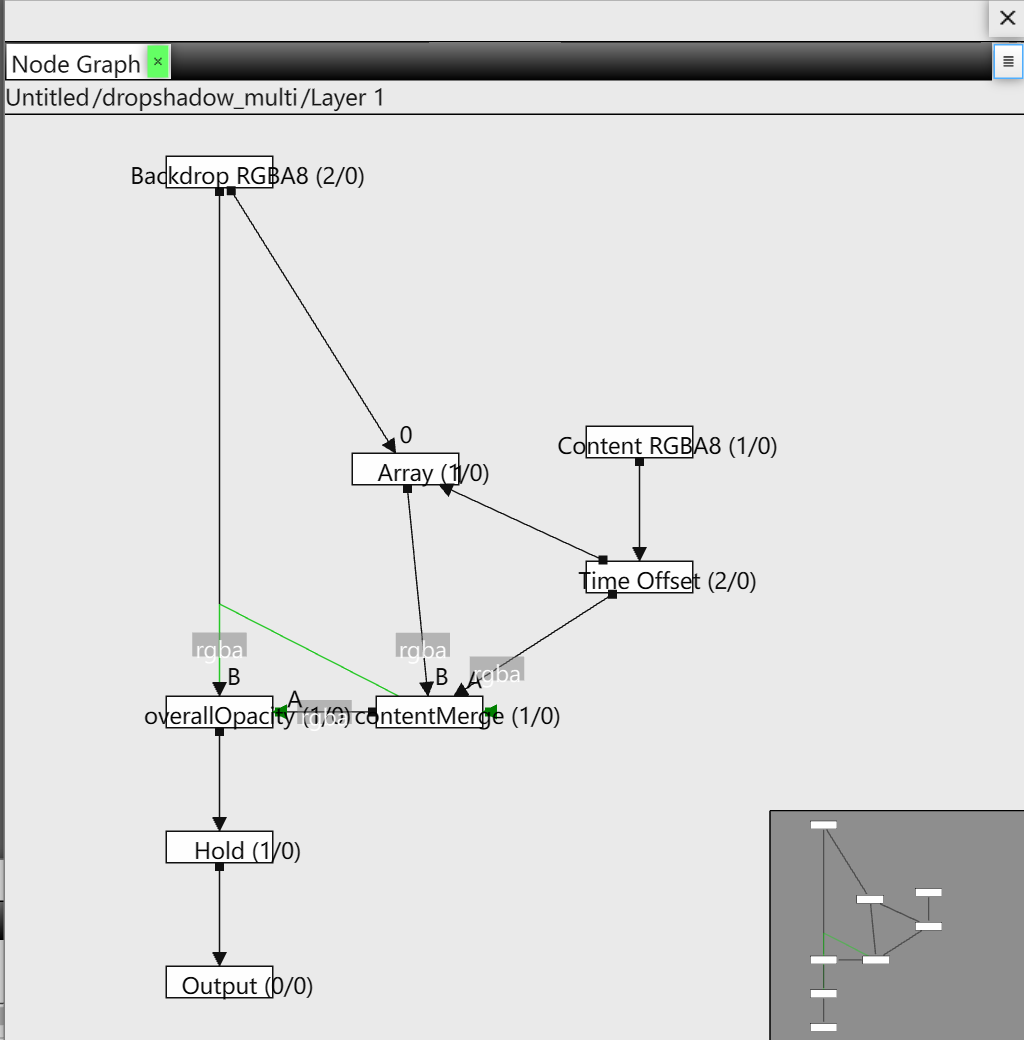
A node graph in Paintapp. Each box is a processing step, and connections control how image data flows.
Layer-Based Editing
Layer workflows are usually easier to learn: the stack order is visual, and edits often feel direct and predictable. For many tasks, layers are the fastest way to work.
| Strength | Why it helps |
|---|---|
| Simple mental model | Top-to-bottom stacking is intuitive and quick to understand. |
| Fast for common edits | Great for straightforward compositing, masking, and retouching. |
| Accessible | Most artists and designers already know layer workflows. |
Node-Based Editing
Node graphs are generally considered more powerful and flexible for complex workflows. Instead of a single stack, you build a graph where branches, merges, and re-routing are explicit.
| Strength | Why it helps |
|---|---|
| Rewiring is fast | You can quickly reconnect inputs/outputs and reorganize processing flow. |
| Non-linear experimentation | Copy and disconnect whole graph sections to test alternatives without losing your current setup. |
| Better reuse | Subgraphs can become reusable building blocks for repeated looks/effects. |
| Viewer flexibility | A viewer node can be moved to different graph points to inspect intermediate results immediately. |
How Paintapp Combines Both
In Paintapp, layers and nodes are complementary rather than competing systems. At a high level you still work with layers, while deeper processing can be handled as node graphs. This architecture is still evolving as design details are refined.