Paintapp
Paintapp is a GPU-accelerated 2D/3D image and animation editing application that runs in modern web browsers. The entire user interface is rendered with WebGL 2, giving a fast, responsive feel regardless of canvas size.
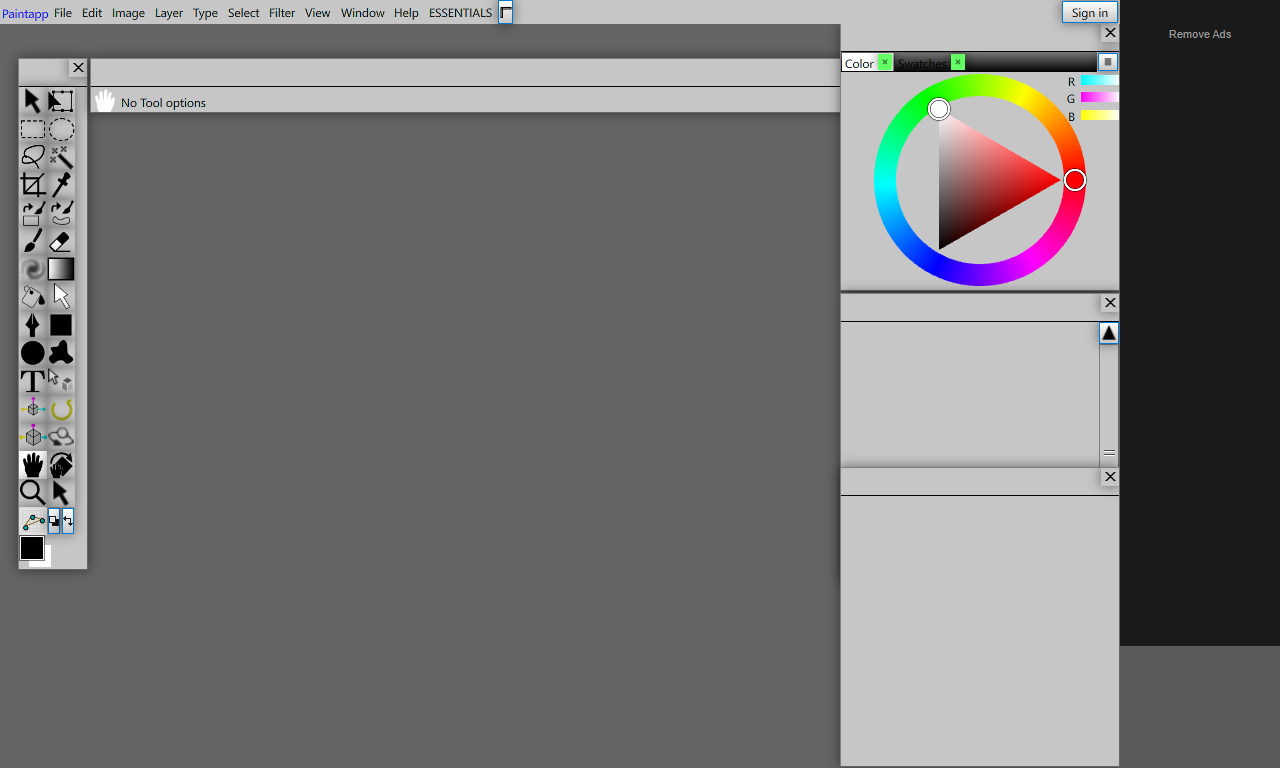
The Paintapp workspace at startup. Left: toolbox. Center: canvas area. Right: Color and other panels.
Key Capabilities
- Photo & image editing — Open, edit and save PSD (Photoshop) files with full layer support.
- Animation — Frame-by-frame and timeline-based animation.
- Node-based compositing — A powerful node graph for non-destructive 2D and 3D effects.
- Pixel / retro art — Works on indexed-color (paletted) images; supports color cycling.
- Vector & shapes — Pen tool, Bezier paths, shape layers.
- Text — Text layers with full font support including OpenType features.
- 3D environment — Integrated 3D scene alongside 2D compositing.
- Filters — A large library of 2D/3D/compositing/adjustment filters accessible from the Filter menu.
Getting Started
To open a file, use File → Open (Ctrl+O) or drag a file directly onto the canvas area. To create a new document, use File → New and choose a preset size.
Paintapp runs in the browser. For best performance use Chrome or Edge on a system with a dedicated GPU.
Saving files requires granting file system access when prompted.