Raster vs Vector
There are two fundamentally different ways to represent an image digitally: raster (pixels) and vector (shapes). Understanding the difference helps you choose the right format and workflow for your work.
Raster Images
A raster image is a rectangular grid of pixels. Each pixel stores a color value. The quality of the image is tied to its resolution — the number of pixels in each direction. Photos, painted artwork, and anything captured by a camera are raster images.
The key limitation of raster images is that they are resolution-dependent. Zooming in past 100% reveals the individual pixels as colored squares. Scaling a raster image up beyond its original size causes visible blurring or blockiness, because the software has to invent pixel values that were never recorded.
Vector Images
A vector image is defined as a set of mathematical shapes — lines, curves, fills, and strokes. There is no fixed pixel grid. Instead, the shapes are drawn fresh at whatever size or zoom level is needed, always producing sharp, clean edges.
Vector images scale to any size without quality loss, making them ideal for logos, icons, illustrations, and typography. SVG (Scalable Vector Graphics) is the standard open format for vector images on the web.
Seeing the Difference
The comparison below shows the same SVG illustration zoomed in to the same area in both modes. At this extreme zoom level the difference is unmistakable.
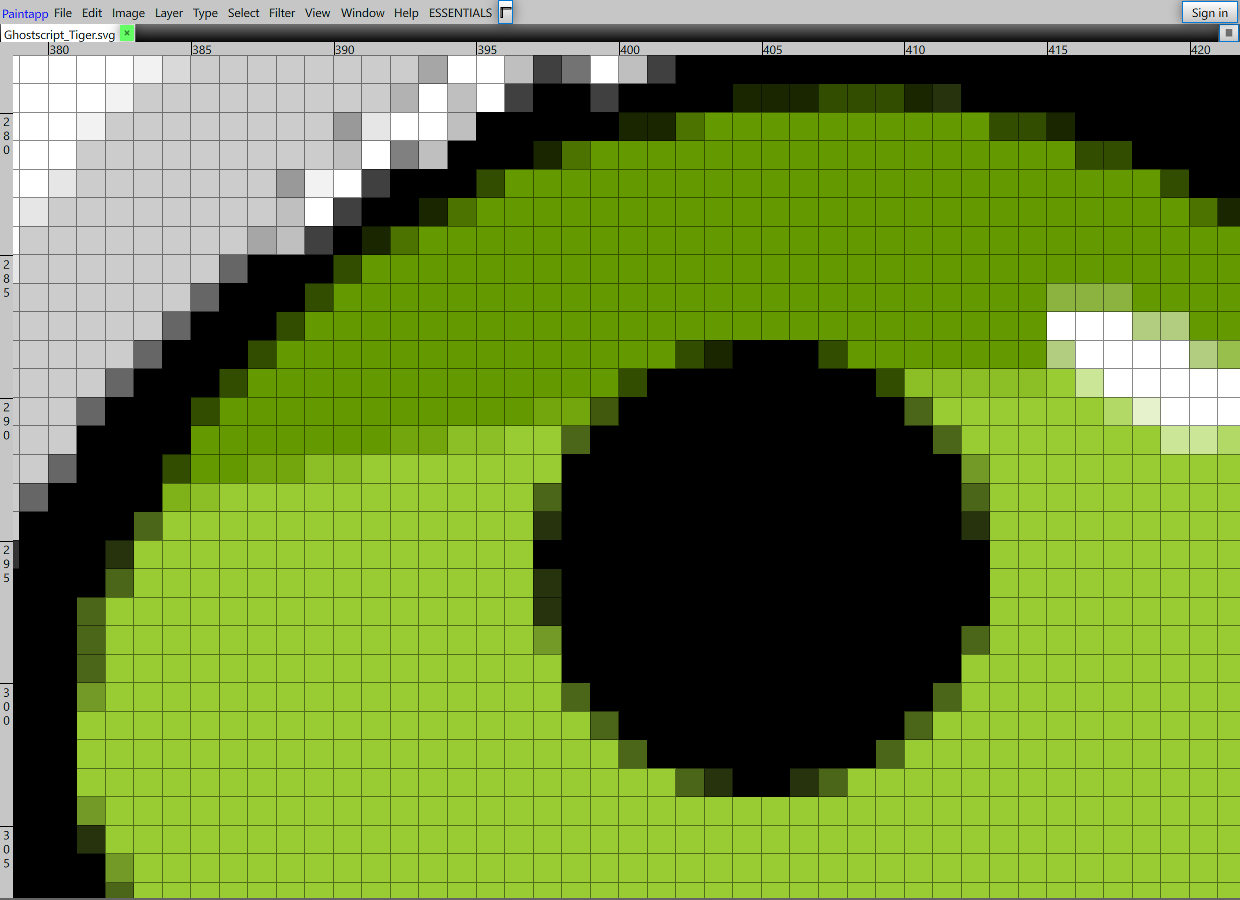
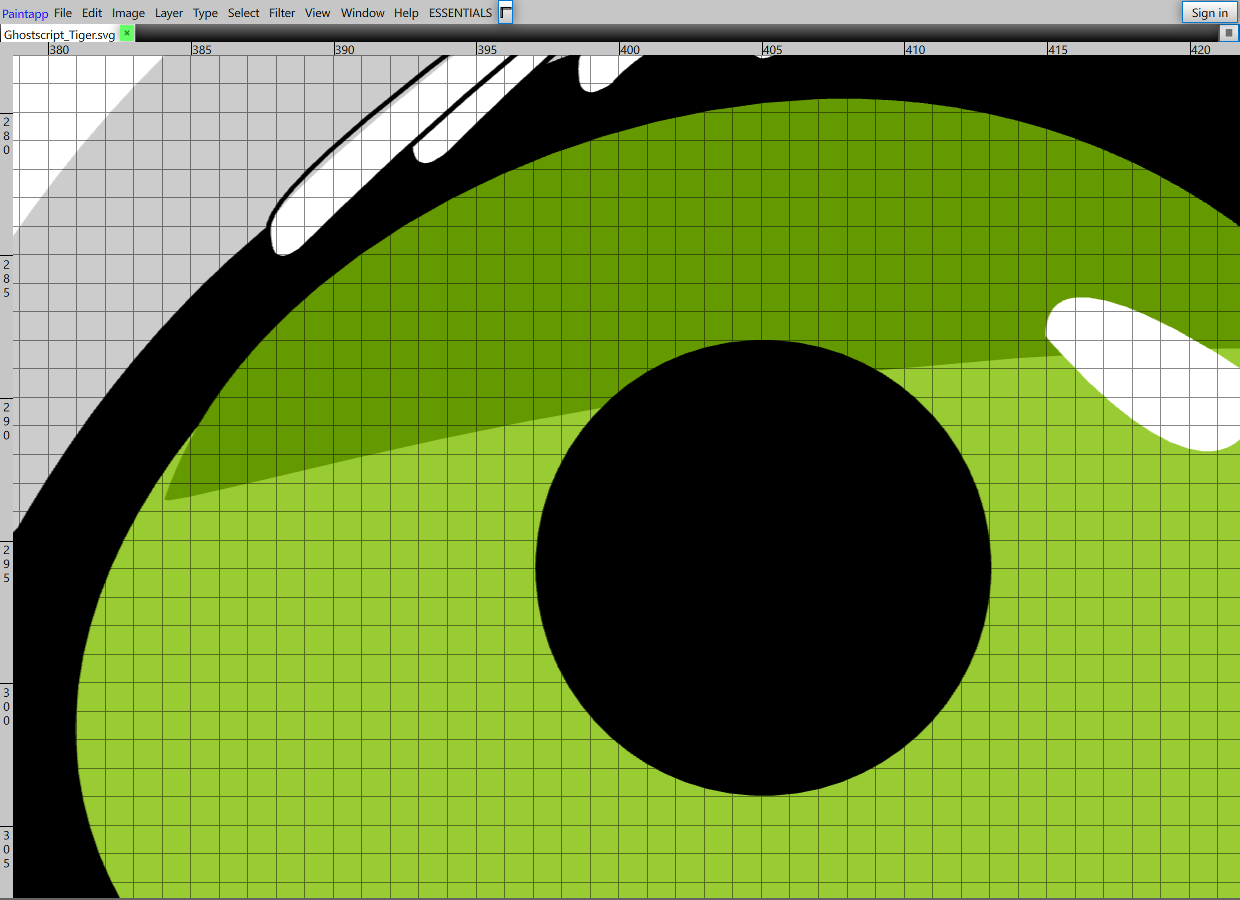
Raster vs Vector in Paintapp
When you open a file containing vector graphics, Paintapp lets you view it in either mode using View → Pixel Preview or View → Vector Preview.

The View menu — toggle between Pixel Preview and Vector Preview to inspect rasterized pixels versus smooth vector rendering.