Preferences
Open Preferences via Edit → Preferences (or Ctrl K / ⌘ K).
Choose a category from the list on the left. Click OK to apply and save,
or Cancel to discard all changes made in this session.
General
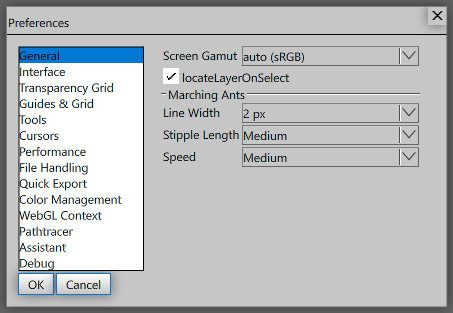
| Setting | Description |
|---|
| Screen Gamut | Color gamut used by the WebGL framebuffer. auto picks the best option for your display; sRGB is the standard; Display-P3 targets wide-gamut monitors. |
| Locate Layer on Select | Automatically scrolls the Layers panel to reveal the active layer whenever a layer is selected. |
| Marching Ants |
| Line Width | Selection outline thickness in screen pixels (1–3 px). |
| Stipple Length | Dash length preset for the animated selection outline: Short, Medium, or Long. |
| Speed | Animation speed of the selection outline: Stopped, Slow, Medium, or Fast. |
Interface
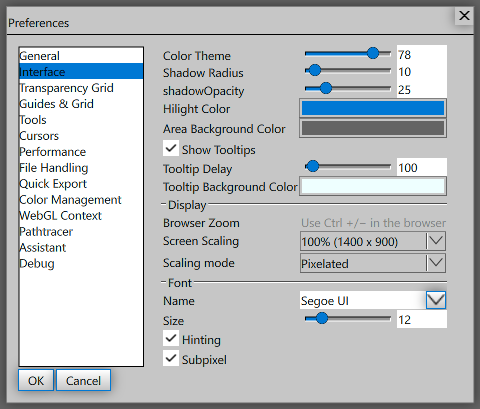
| Setting | Description |
|---|
| Color Theme | Overall UI lightness (8 = very dark, 96 = very light). Drag the slider to find a comfortable brightness. |
| Shadow Radius | Blur radius of the drop shadow behind floating panels and dialogs. |
| Shadow Opacity | Opacity of the drop shadow (0–100 %). |
| Hilight Color | Accent color used for selected items, focus rings, and active controls. |
| Area Background Color | Background color of empty canvas areas outside the document. |
| Tooltips |
| Show Tooltips | Toggle tooltip popups on or off. |
| Delay | Milliseconds of hover time before a tooltip appears (0 = instant). |
| Background Color | Background color of tooltip popups. |
| Display |
| Browser Zoom | Read-only reminder: use Ctrl + / Ctrl − in the browser to scale the entire UI. |
| Screen Scaling | Renders the UI at a reduced logical resolution then scales it up. Useful for a retro pixel-art look or to enlarge the UI on high-DPI screens without browser zoom. |
| Scaling mode | How the scaled framebuffer is upsampled: Pixelated preserves hard pixel edges; Auto lets the browser smooth it. |
| Font |
| Name | UI font family used for all labels, menus, and tooltips. |
| Size | UI font size in points (6–36). |
| Hinting | Adjusts glyph outlines so text looks sharper at small sizes. Disable if text looks distorted on your display. |
| Subpixel | Uses RGB subpixels to triple effective horizontal text resolution. Disable if text shows color fringing. |
See Fonts for details on loading fonts, supported formats, and text rendering.
Transparency Grid
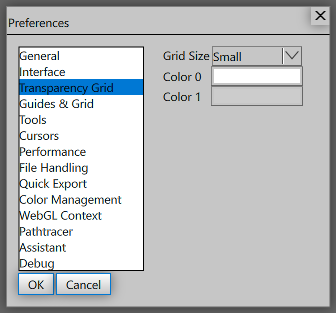
| Setting | Description |
|---|
| Grid Size | Size of the checkerboard squares: Tiny, Small, Medium, or Large. |
| Color 0 | The lighter checkerboard color. |
| Color 1 | The darker checkerboard color. |
Guides & Grid
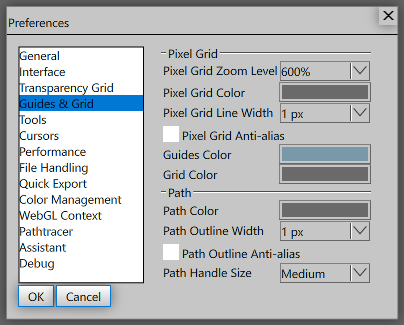
| Setting | Description |
|---|
| Pixel Grid |
| Pixel Grid Zoom Level | The grid is only visible at or above this zoom level (400 %–1600 %). |
| Pixel Grid Color | Color (including opacity) of the pixel grid lines. |
| Pixel Grid Line Width | Grid line thickness in framebuffer pixels (1–3 px). |
| Pixel Grid Anti-alias | Slightly smooth grid lines using derivatives. Disable for a harder, crisper grid. |
| Guides Color | Color of ruler guide lines dragged from the ruler. |
| Grid Color | Color of the document grid overlay. |
| Path |
| Path Color | Default stroke color for path outlines. |
| Path Outline Width | Path outline thickness (1–4 px). |
| Path Outline Anti-alias | Slightly smooth path outline edges. |
| Path Handle Size | Size of bezier control-point handles: Small, Medium, or Large. |
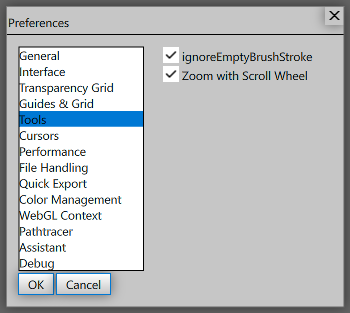
| Setting | Description |
|---|
| Ignore Empty Brush Stroke | Discards brush strokes that produce no visible change, keeping history clean. |
| Zoom with Scroll Wheel | When enabled the scroll wheel zooms the canvas. Disable to use the scroll wheel for scrolling instead. |
Cursors
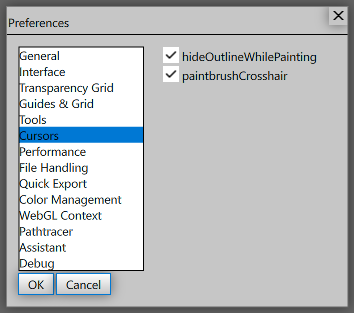
| Setting | Description |
|---|
| Hide Outline While Painting | Hides the brush-size preview circle while a stroke is in progress to reduce visual clutter. |
| Paintbrush Crosshair | Shows a crosshair at the center of the brush cursor in addition to (or instead of) the size ring. |
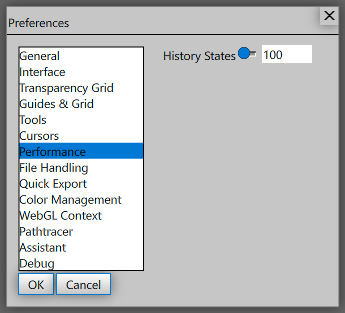
| Setting | Description |
|---|
| History States | Maximum number of undo steps (1–1000). Higher values use more memory. |
File Handling
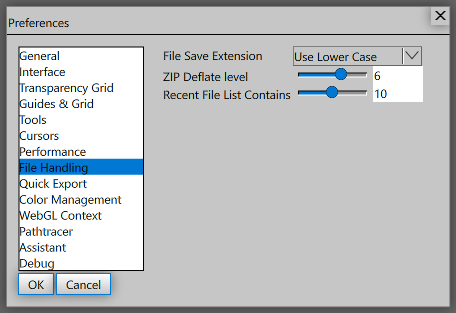
| Setting | Description |
|---|
| File Save Extension | Whether file extensions are written in lower case (e.g. .png) or upper case (e.g. .PNG) when saving. |
| ZIP Deflate level | Compression effort for ZIP-based formats (1 = fastest / largest file, 9 = slowest / smallest file). |
| Recent File List Contains | How many files to remember in the Recent Files list (0–20). |
Quick Export
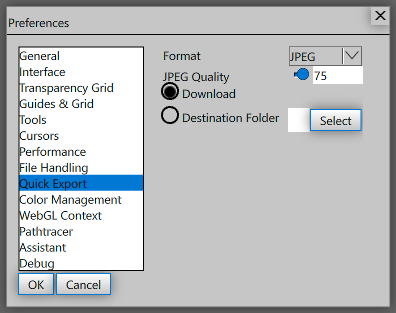
| Setting | Description |
|---|
| Format | Default file format for Quick Export: BMP, GIF, PNG, or JPEG. |
| JPEG Quality | JPEG compression quality (1–100 %). Only relevant when Format is JPEG. |
| Download | Trigger a browser download for each exported file. |
| Destination Folder | Save exported files directly to a local folder (requires file-system access permission). |
ICC Color Management
ICC and OpenColorIO are alternative color-management systems — a document uses one or the
other, never both — so each has its own page. OpenColorIO settings are
below.
| Setting | Description |
|---|
| Working Profiles |
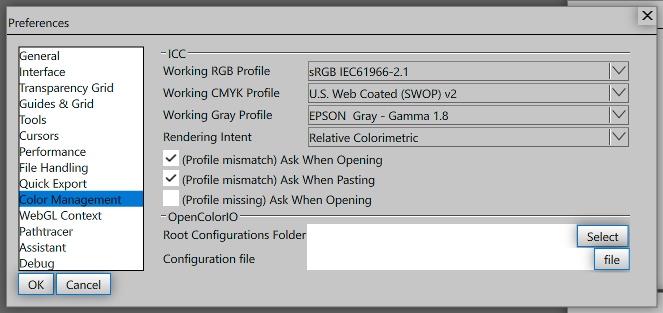
| RGB | Default ICC profile used for RGB documents (e.g. sRGB IEC61966-2.1). |
| CMYK | Default ICC profile used for CMYK documents. |
| Gray | Default ICC profile used for Grayscale documents. |
| Conversion Options |
| Rendering Intent | How colors are converted between profiles: Perceptual, Relative Colorimetric, Saturation, or Absolute Colorimetric. |
| Use Black Point Compensation | Map the source profile's darkest black to the destination's instead of clipping, so shadow detail survives a conversion to a smaller dynamic range. |
| Use Dither (8-bit/channel images) | Add a small amount of noise when converting 8-bit images, which trades a little grain for the loss of banding in gradients. |
| Policies |
| (Profile mismatch) Ask When Opening | Show a dialog when the embedded profile of a file doesn't match the working profile. |
| (Profile mismatch) Ask When Pasting | Show a dialog when pasted content carries a different profile than the document. |
| (Profile missing) Ask When Opening | Show a dialog when a file has no embedded ICC profile. |
OpenColorIO
| Setting | Description |
|---|
| Configuration | The config used as the default for new documents. Either an ocio:// builtin name or the location of a config file. |
The ACES configs that ship with the app are builtins: a document records one by the
name OpenColorIO itself uses, such as
ocio://studio-config-v2.2.0_aces-v1.3_ocio-v2.4, and they cannot be edited or
deleted. The aliases ocio://default, ocio://cg-config-latest and
ocio://studio-config-latest also resolve; a document always stores the exact
name an alias resolved to, so it keeps rendering the same way when a newer config ships.
WebGL Context
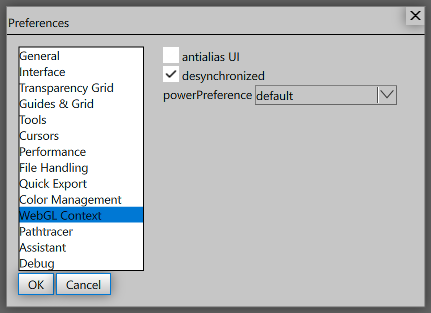
Changes to WebGL Context settings take effect after reloading the page.
| Setting | Description |
|---|
| antialias UI | Enables MSAA on the WebGL context. May smooth UI edges slightly at the cost of a little performance. |
| desynchronized | Hints to the browser to decouple rendering from the page compositor for lower latency. May cause flickering on some GPUs. |
| powerPreference | Hints to the browser which GPU to use: default (browser decides), low-power (integrated GPU), or high-performance (discrete GPU). |
Pathtracer
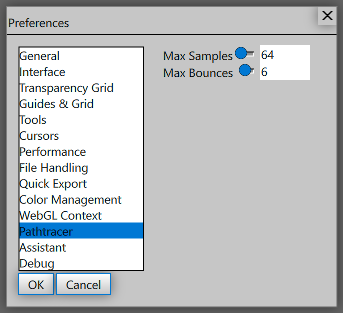
| Setting | Description |
|---|
| Max Samples | Number of path-tracer passes before the render stops (8–1024). Higher values give cleaner images but take longer. |
| Max Bounces | Maximum light bounces per ray (1–16). Higher values improve indirect lighting at the cost of speed. |
Assistant
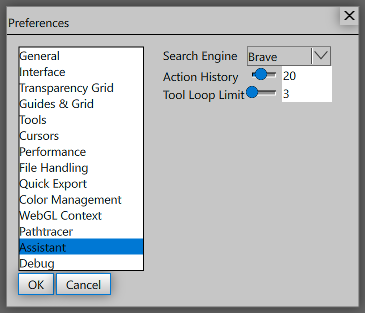
| Setting | Description |
|---|
| Search Engine | Default web search provider used by the AI assistant (Brave, Bing, or Google). You can ask the assistant to switch mid-chat. |
| Action History | Number of recent app actions sent to the assistant as context (0–50). Set to 0 to disable. |
| Tool Loop Limit | Maximum tool-call rounds before the assistant pauses and shows a Continue button (1–50). Higher values allow longer uninterrupted runs. |
Debug
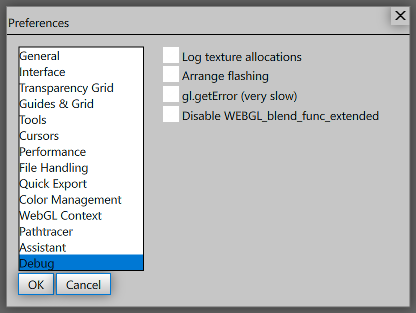
| Setting | Description |
|---|
| Log texture allocations | Logs every GPU texture allocation and deallocation to the browser console. Useful for tracking memory usage and detecting leaks. |
| Arrange flashing | Flashes a highlight on any UI element that is re-laid-out. Useful for identifying unnecessary layout passes. |
| gl.getError (very slow) | Calls gl.getError() after every WebGL draw call to catch GL errors at their source. Severely impacts performance — only enable when diagnosing rendering bugs. |
| Disable WEBGL_blend_func_extended | Disables the extension used for single-pass subpixel text rendering. Enable if subpixel text looks wrong on your GPU. |